Mobile photo editor · In beta

Instagram carousels designed as one wide image, on a phone.

Role
Solo project: design and development
Timeline
April to June 2026
Platform
Android
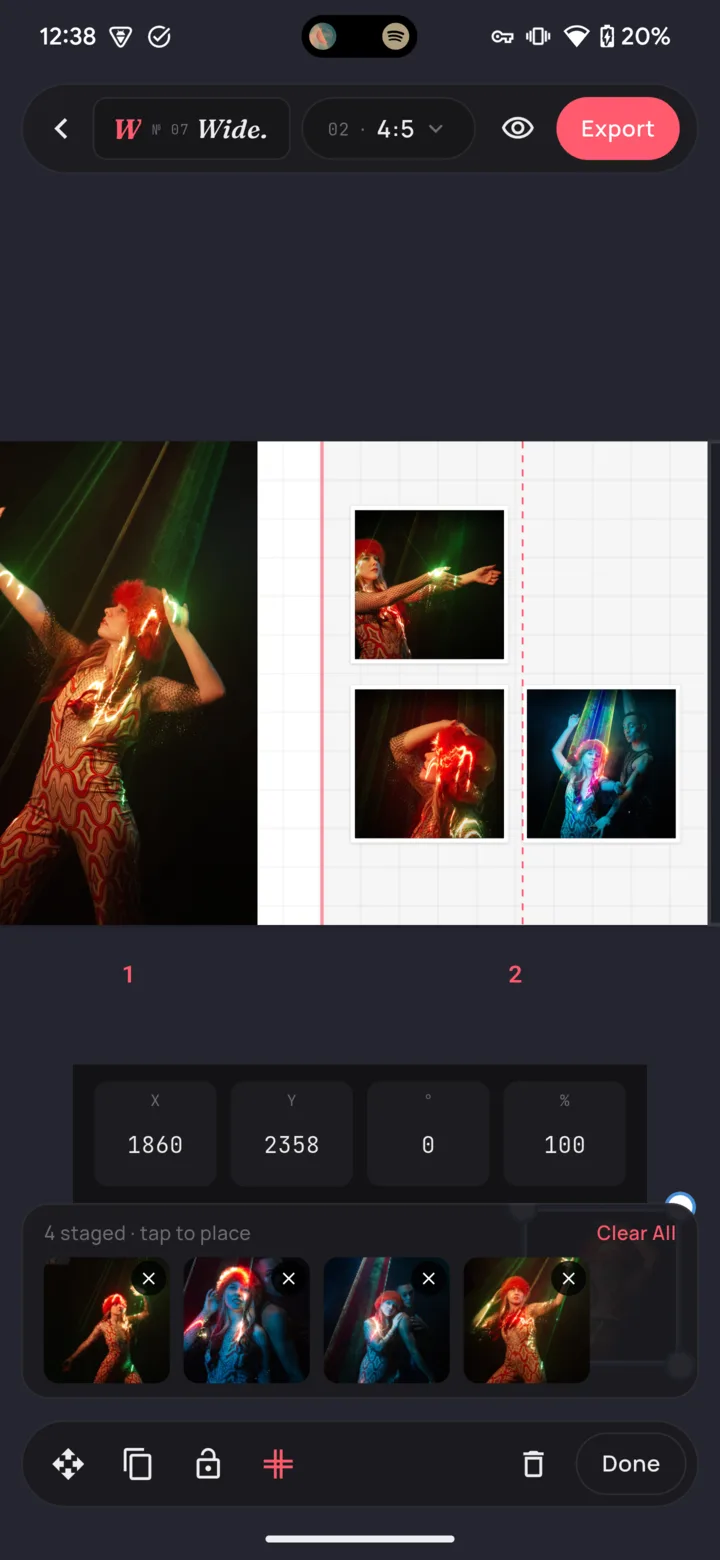
Wide editor: photos arranged across two carousel slides with a red line where the slides meet

The problem

A seamless carousel is one wide image cut into slides. Most tools make you design each slide separately and hope the edges line up, or design on a computer and cut it up by hand.

What I did

Designed an editor where the whole carousel is one canvas, with slide edges you can read on any photo, a preview that is also the layout view, and one consistent motion style across the app.

The result

In beta on Google Play.

01 · Problem

The problem

A seamless carousel is one wide image cut into slides. Most tools make you design each slide separately and hope the edges line up, or design on a computer and cut it up by hand.

Wide lets you design the whole strip at once, on your phone, and see exactly where every cut will fall.

02 · People

Who it is for

  • Photographers and creators who post carousels and do their editing on their phone.

03 · Constraints

Constraints

  • A phone screen is narrow and the design is very wide, so the editor has to feel roomy without hiding the tools.
  • The export has to match Instagram's slide sizes exactly, or the joins show.

04 · Decisions

Key decisions and why

  1. 01

    Design the whole strip at once

    Before

    Designing each slide on its own.

    After

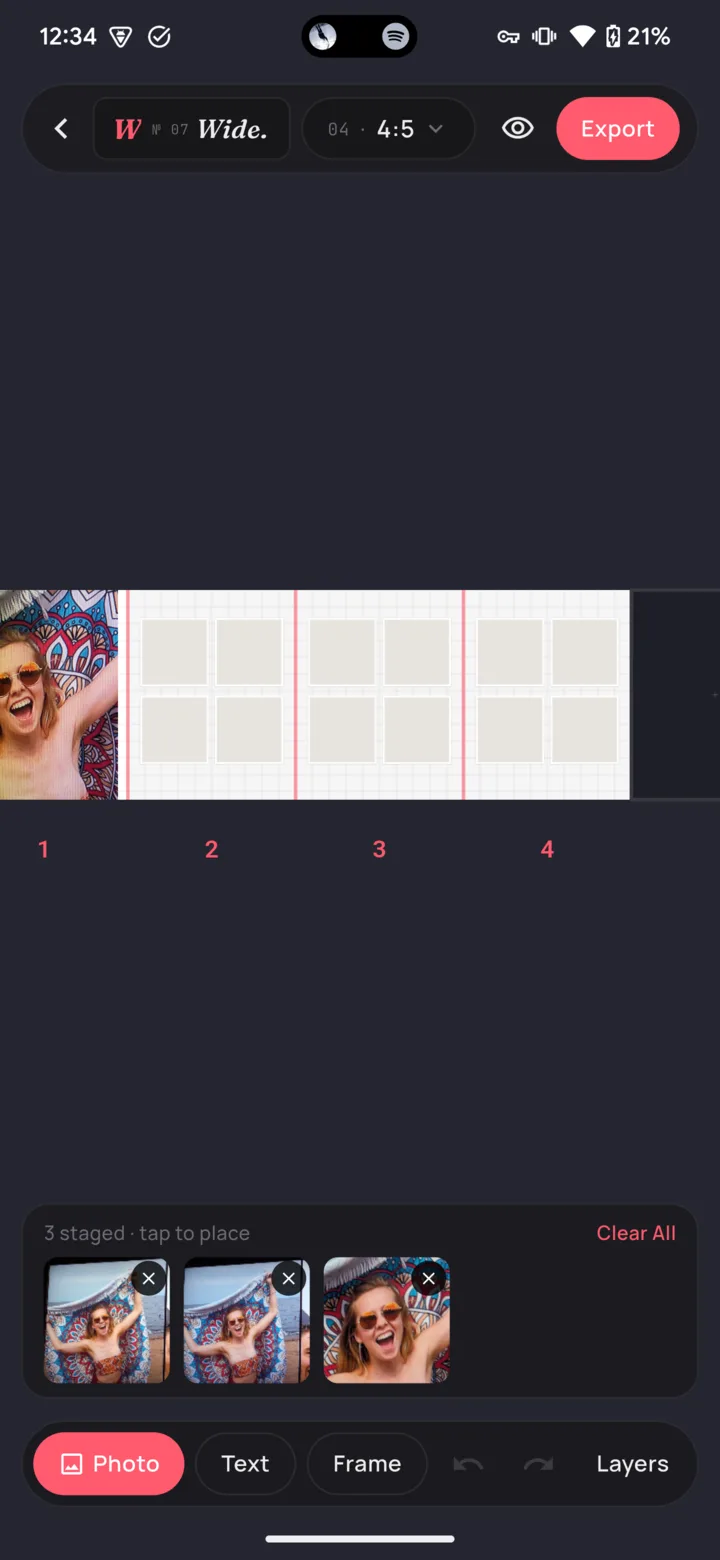
    One long canvas with the slide edges marked on it. Photos and text can sit across the join between two slides.

    Why: The whole point of a seamless carousel is the part that crosses from one slide to the next. You can only design that if you can see both sides at once.
  2. 02

    Make the slide edges easy to see

    Before

    Thin red lines on the canvas, easy to lose on a busy photo.

    After

    The lines stay, plus small marks just outside the canvas, above and below every join.

    Why: It borrows from print design, where trim marks sit outside the page. They stay visible on any photo, and because they look nothing like a handle, nobody tries to drag them.

  3. 03

    Arranging is previewing

    Before

    Arranging slides and previewing the final export were separate steps.

    After

    While you arrange slides, everything outside the canvas dims and the canvas shows exactly what will be exported.

    Why: One step instead of two, and no surprises when the images land in your camera roll.

  4. 04

    Animations that feel like one app

    Before

    Panels that moved at a dozen slightly different speeds, depending on which screen they were on.

    After

    Every animation uses one small, shared set of speeds and easing curves.

    Why: A consistency review found that the two busiest screens ignored the shared style. Each difference was tiny, but together they made the app feel assembled rather than designed.

The shipped product

Wide editor showing a four-slide carousel with numbered slides and a photo tray
Numbered slides and a tray of photos waiting to be placed

05 · Outcome

Outcome

  • In beta on Google Play.
  • I wrote a shared vocabulary that names every part of the app, so feedback, plans and the code all use the same words.

What I would do next

  • Get the beta to more creators and watch where they get stuck.

Next case study

Bid Tracker

A bid and cost tracker built on the Google Sheet the business already trusted, so nothing had to move. The client uses it every day.