Android home screen · Live on Google Play

A home screen with no grid, designed from scratch and shipped on Google Play.

Role
Solo project: design and development
Timeline
April 2026 to now
Platform
Android phones, foldables and tablets
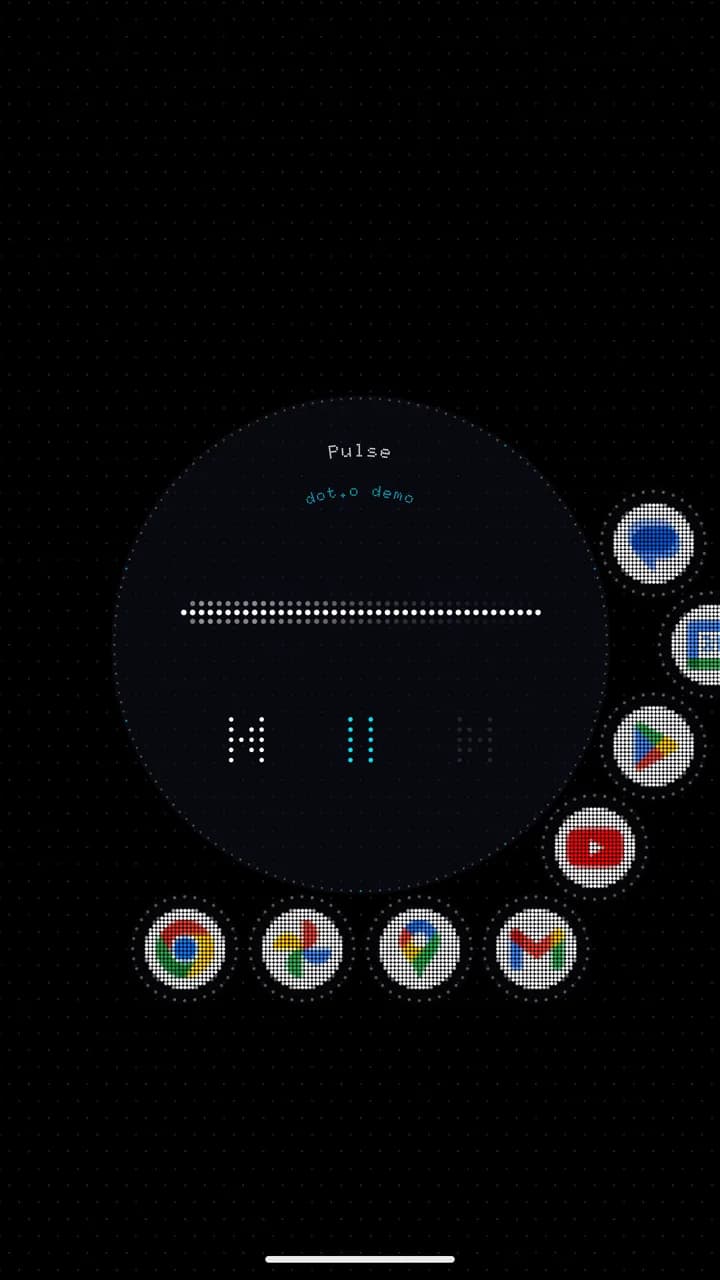
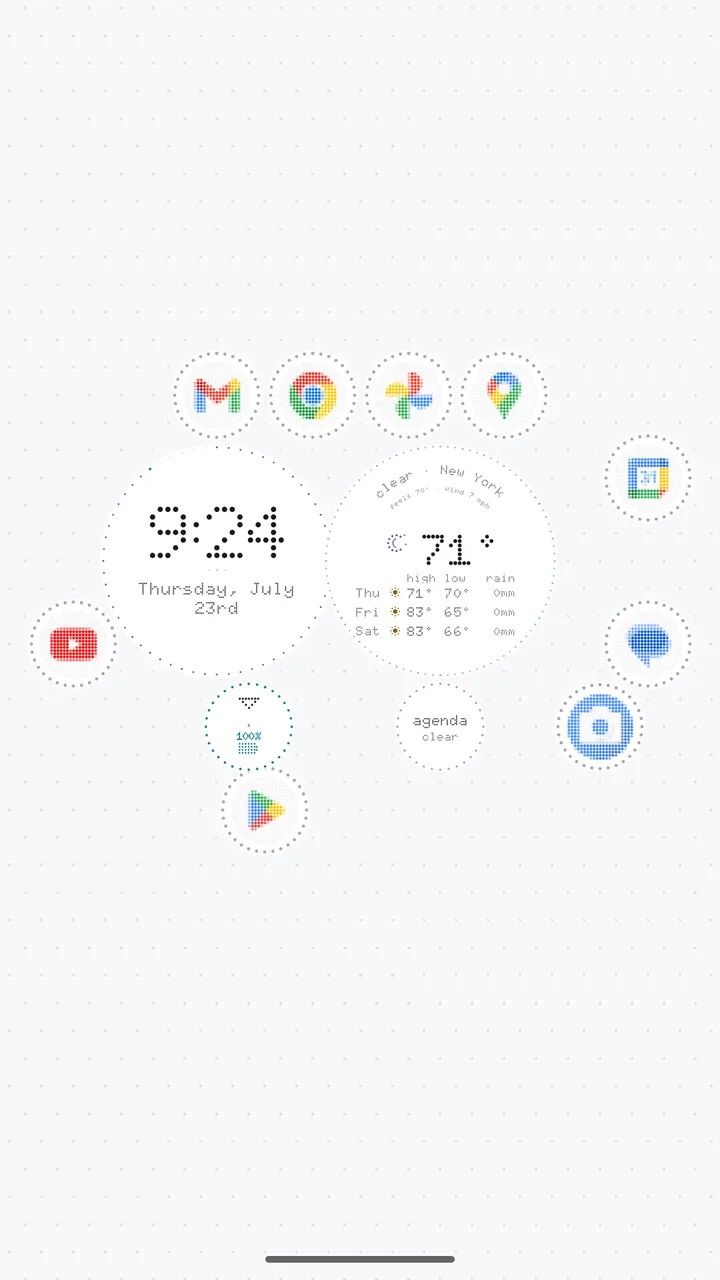
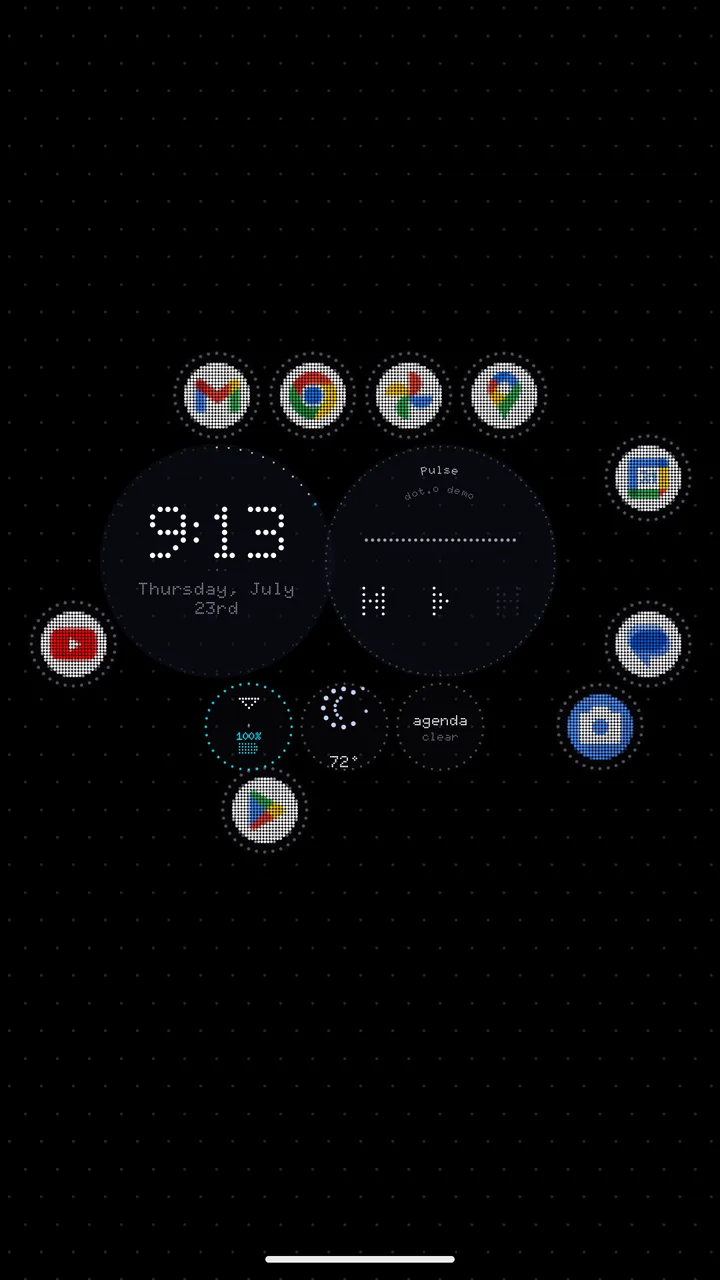
Doto home screen: apps and round widgets placed freely on a dark dotted background

The problem

Almost every phone home screen is the same: pages of icons snapped to a grid. The minimal alternatives go the other way and strip nearly everything out. Neither lets you arrange your phone the way you arrange your desk.

What I did

Designed and built the whole app. The biggest changes came from testers: hints instead of a tutorial, one app list instead of three, settings where people expect them, and a way to hold the screen still.

The result

Released on Google Play in September 2026.

01 · Problem

The problem

Almost every phone home screen is the same: pages of icons snapped to a grid. The minimal alternatives go the other way and strip nearly everything out. Neither lets you arrange your phone the way you arrange your desk.

I wanted a home screen that works like a place. You put things where you want them, your hand learns where they are, and the screen stays calm until you touch it.

The problem with general minimal launchers is that they confine you in a small space. It suffocates me. This launcher doesn't.

An early tester

02 · People

Who it is for

  • People who like setting up their phone their own way and are tired of the grid.
  • People with foldable phones, who switch between a narrow outer screen and a large inner screen many times a day.

03 · Constraints

Constraints

  • No ads, no accounts and no tracking. That meant no analytics dashboard, so everything I learned came from people using it, their screenshots and my own daily use.
  • A home screen you are not touching should not drain your battery, so nothing moves unless you touch it or music is playing.
  • It has to work on every screen, from a folded phone's outer display to an unfolded tablet, and at every text size people choose in their phone settings.

04 · Decisions

Key decisions and why

  1. 01

    Hints instead of a tutorial

    Before

    A seven-step tutorial on first launch that walked people through every gesture.

    After

    One small hint at a time, shown only when that gesture would help. It disappears as soon as you use it and never blocks anything.

    Why: Going through the tutorial myself, it felt like a list of chores. A hint shows up at the moment it helps and costs nothing if you ignore it. I also cut the hint for dragging around the canvas, because everyone already knows how to drag. Only gestures people would not find on their own get a hint.
  2. 02

    One app list, not three

    Before

    Three different styles for the list of all your apps, each with its own quirks.

    After

    One app list, done properly.

    Why: Three versions meant every improvement had to be made three times, or they slowly drifted apart. I kept the one testers liked and put the effort there.

  3. 03

    Put settings where people look for them

    Before

    The background style was filed under the music settings, so turning music off also hid the choice of background.

    After

    The background moved to Appearance, next to colors and fonts.

    Why: People think of the background as part of how their phone looks. It happens to react to music, but that is not where anyone goes looking for it.

  4. 04

    A way to hold the screen still

    Before

    Any drag on the home screen moved the view, so it was easy to scroll away by accident.

    After

    Press the handle at the bottom of the screen to pin the view in place. Dragging then plays with the background instead of moving the screen.

    Why: An early tester asked for a lock three separate times. I called it pinned rather than locked, because the screen still responds to you. It just stops sliding away.

  5. 05

    Hide the numbers, keep the choices

    Before

    Sliders for fine-tuning effects, such as how big the raindrops are, shown to everyone.

    After

    Good values chosen for you, with only the choices that matter left in settings.

    Why: Nobody installs a home screen to tune raindrop sizes. Choosing values that feel right is my job, so I did that and kept only the choices people actually make, like colors and fonts.

  6. 06

    Simpler ways to change the look

    Before

    Fifteen different buttons that each changed one slice of the appearance, six different names for the background and seven meanings of the word style.

    After

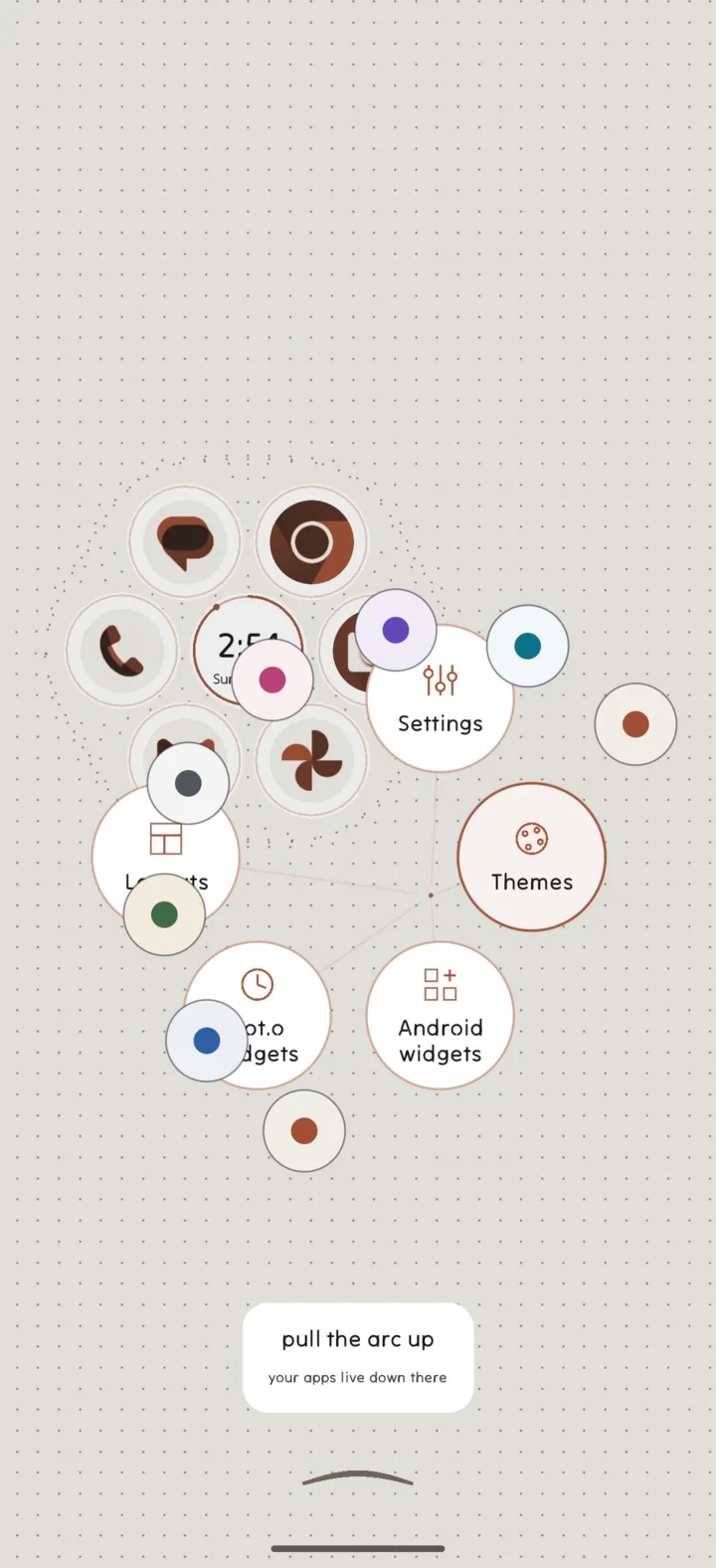
    Hold empty space on the home screen for two choices. Looks puts on a complete look in one tap. Customize changes colors, font, icons, widgets or fabric one at a time, right on your own home.

    Why: When I started getting lost in my own settings, I knew testers would be too. A new look never overrides accessibility choices, so someone who turned motion off keeps it off. Both shipped in October 2026, with an Undo for a look you did not want.

Before and after

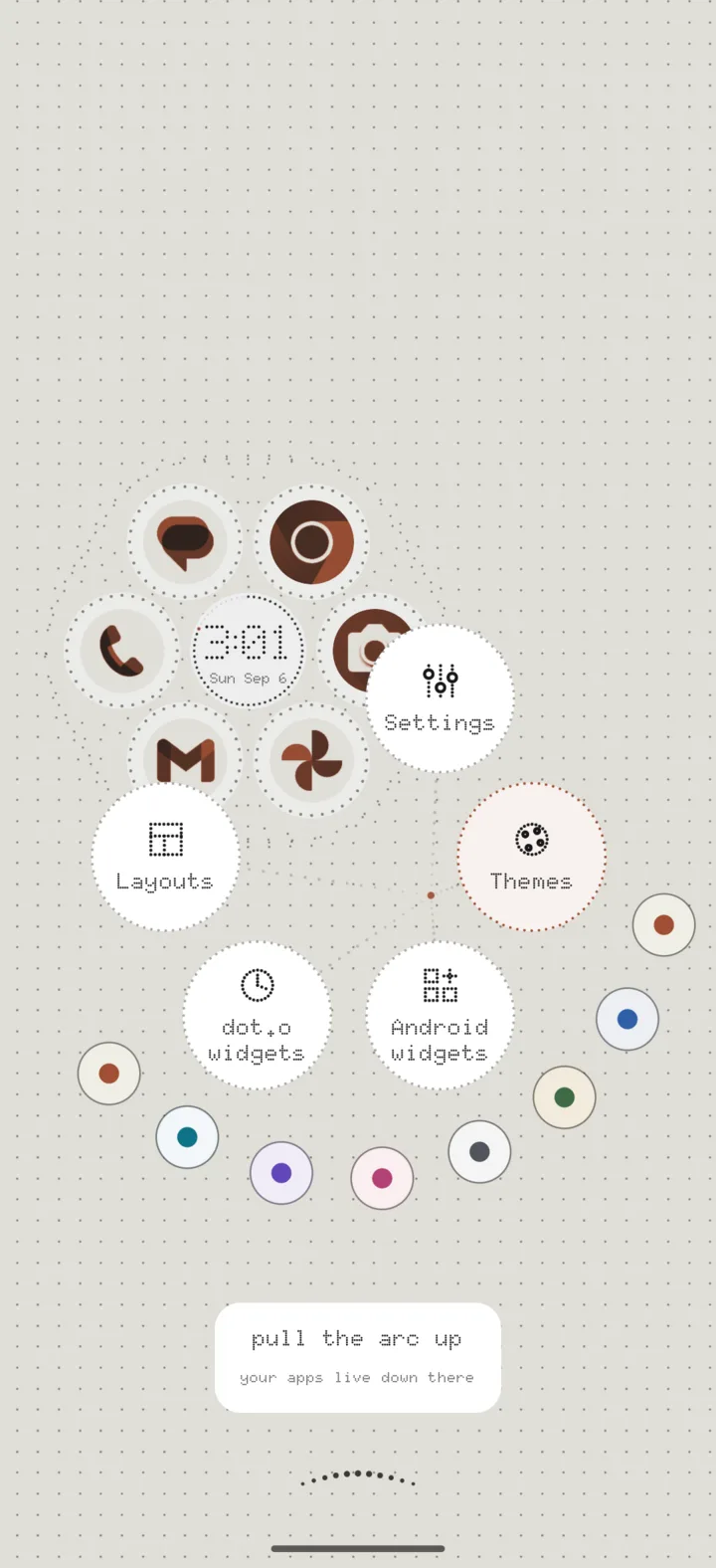
The home menu.

In the first version, the color choices fanned out from wherever your finger landed and covered the buttons. Now they curve around the buttons, and line up to the side when there is not enough room. The buttons are bigger, their labels follow your phone's text size, and zooming out no longer shrinks them.

Home menu after: the color choices curve around the buttons without covering them
Home menu before: round color choices overlap the menu buttons
BeforeAfter

Drag to compare

05 · Process

What I tried and dropped

Dropped

Going back to a grid

I designed and built a version with tidy pages of icons, like a normal home screen. Three days later I went back to the open canvas, and it has been the product ever since.

Dropped

A new settings layout

I spent two days on a completely new structure for settings. After using it, I chose to improve the original design instead. The new typography from that work stayed and became the default.

Dropped

Swipe down to close settings

Removed after three attempts to make it feel right. A tester asked for settings to stay put and not close on an accidental swipe, and they were right.

design study
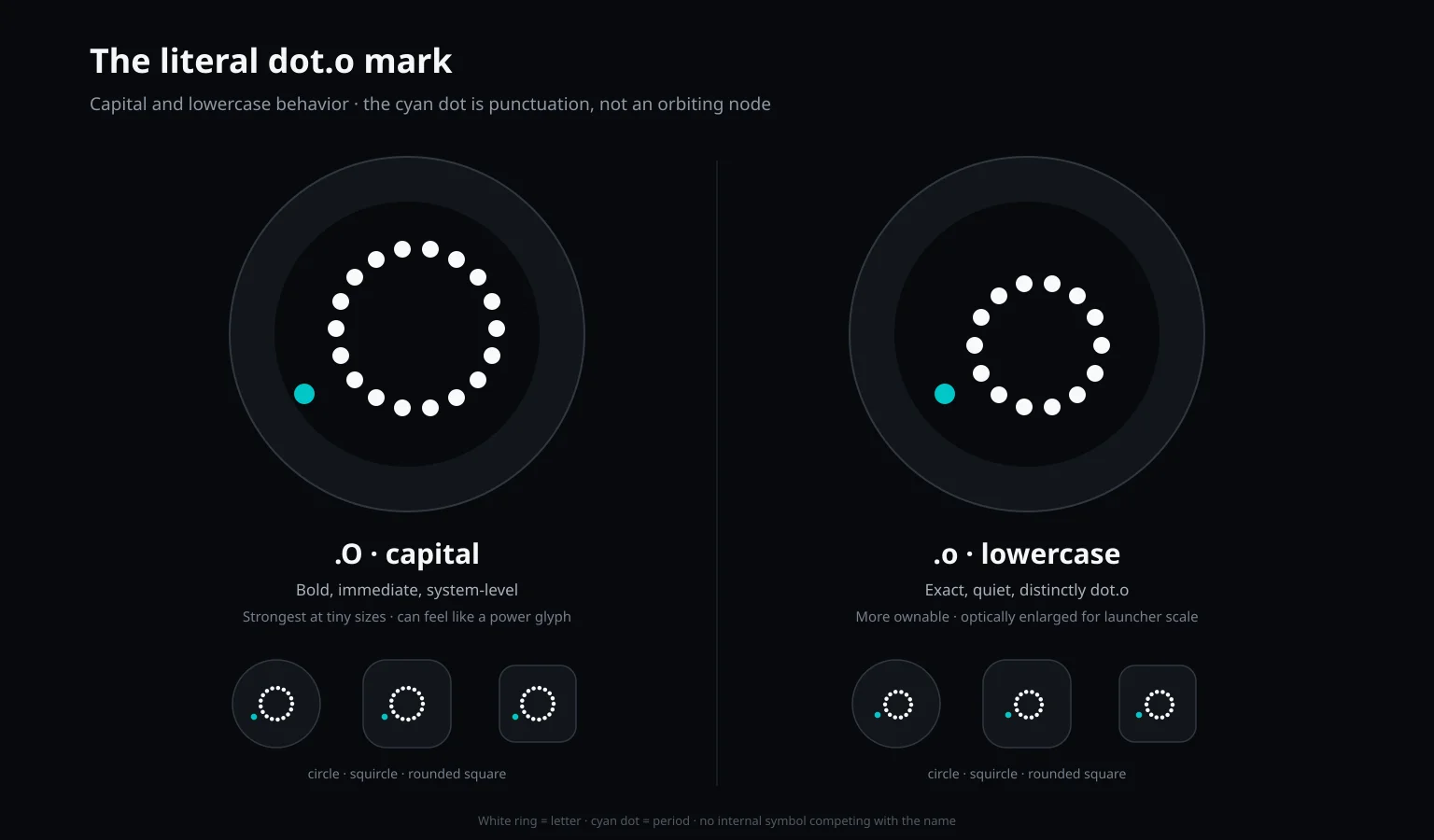
Icon study comparing a capital and a lowercase dotted O
App icon study. The blue dot was meant to read as the period in dot.o, the app's name before Doto. I tested both versions at real icon sizes in three different shapes.
design study
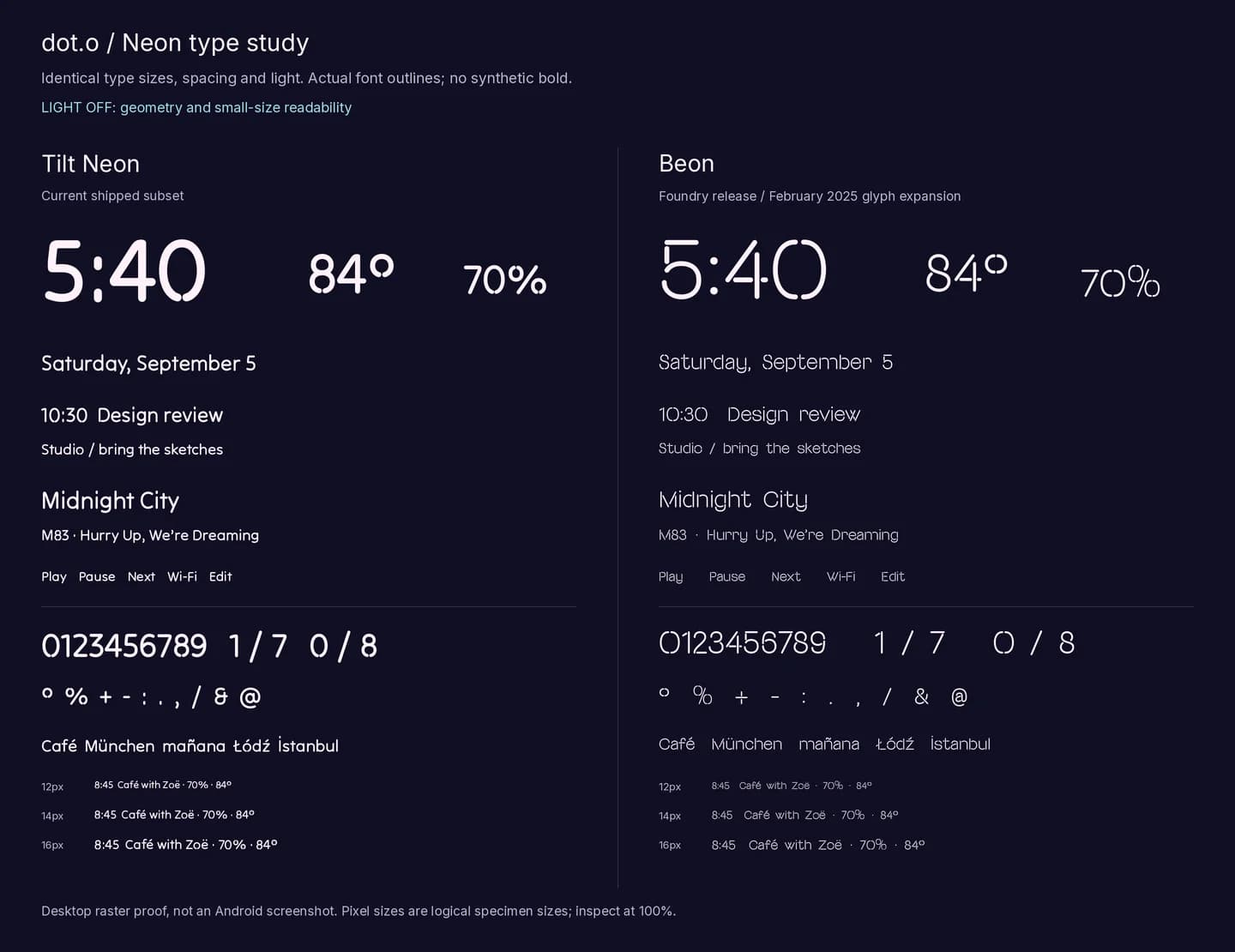
Side by side comparison of two neon-style typefaces at identical sizes
Typeface study for the neon style. Two fonts at identical sizes. One makes great big numbers, the other stays readable in small text, so the shipped style uses each for what it does best.

The shipped product

A music widget with a dotted waveform
The screen moves with your music
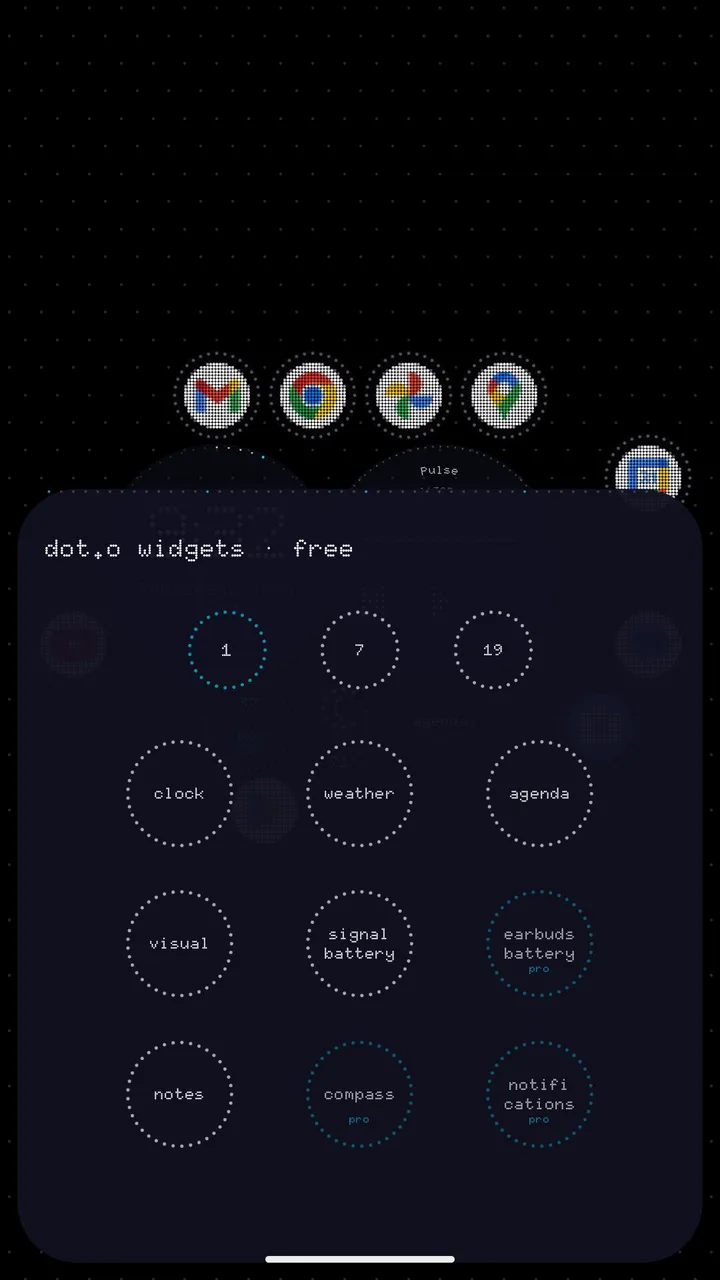
The widget picker, showing round widgets at their real size
Widgets shown at their real size
The home screen in a light theme
Light themes for daylight
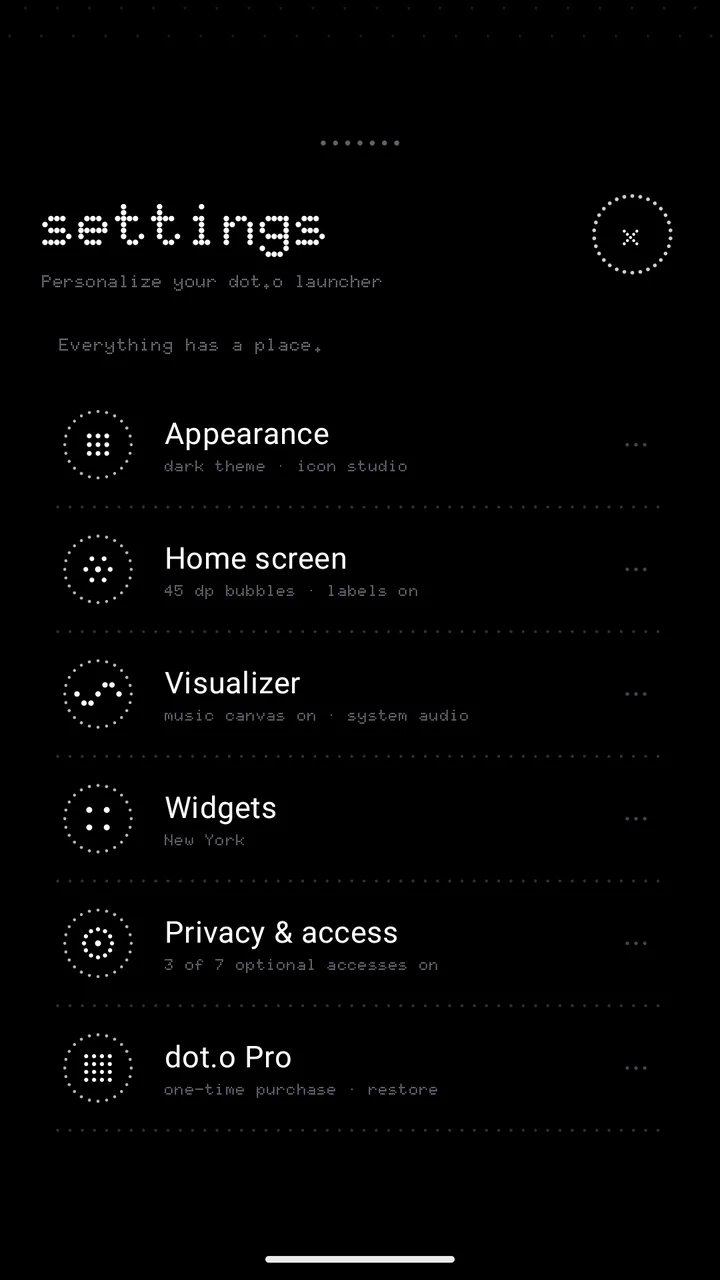
The settings screen with six plainly named sections
Settings in plain words

06 · Outcome

Outcome

  • Released on Google Play in September 2026.
  • Early testers changed the design before launch. One said, "in daylight I can't see anything," so light themes shipped. Another could not reach the app list controls with their thumb, so they moved to the bottom of the screen.
  • It is early days, and most people using it so far found it through me. The next step is watching strangers use it.

What I would do next

  • Finish the new appearance settings, so changing how your phone looks is one clear choice instead of fifteen.
  • Run usability sessions with five people who have never seen the app.

Next case study

Wide

Most tools make you design each slide on its own and hope the edges line up. Wide shows the whole strip at once, with every cut marked.